
Typing
Typing: spacebar not working
This is one thing to check if the spacebar isn't working in Typing.
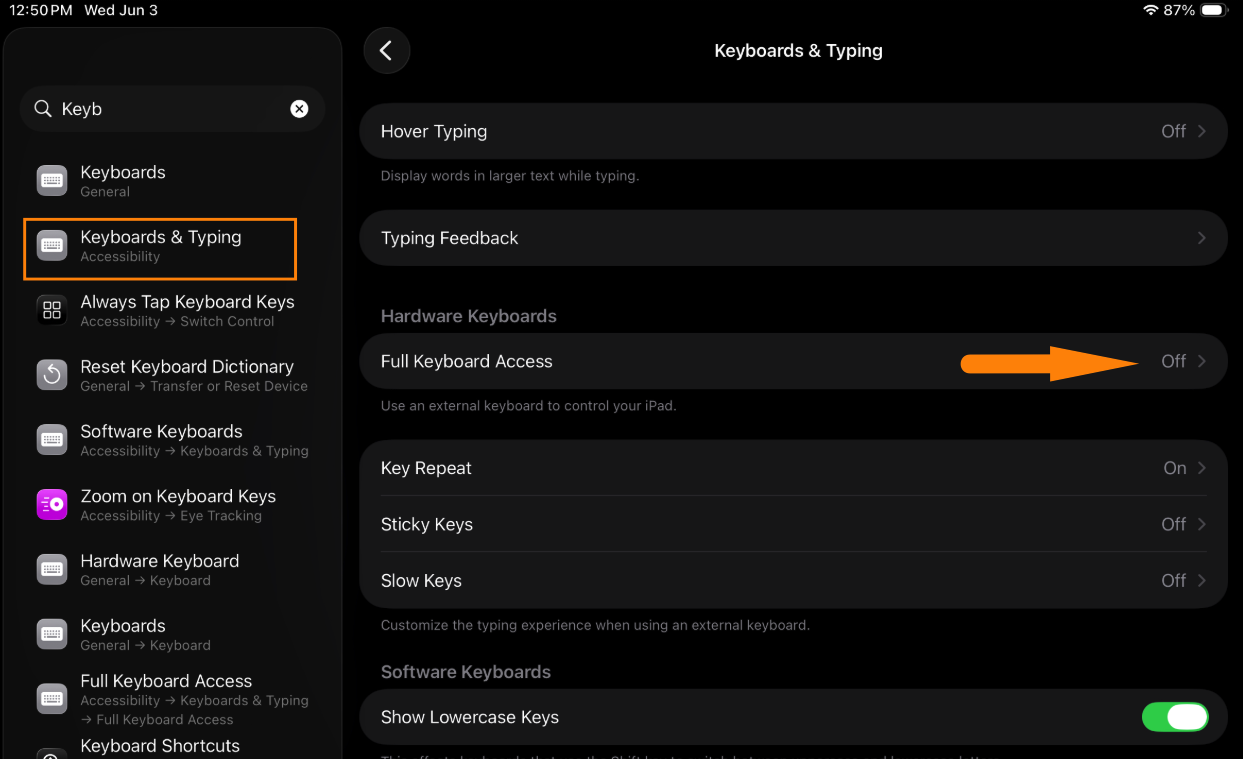
Open the iPad's Settings > Keyboard & Typing, find Full Keyboard Access, and make sure it's turned off.
 Contact IT if: you can't change this setting, or the spacebar still doesn't work. If the keyboard itself is damaged or a key is missing, submit a ticket.
Contact IT if: you can't change this setting, or the spacebar still doesn't work. If the keyboard itself is damaged or a key is missing, submit a ticket.Updated Oct 7, 2026 1:11 PM